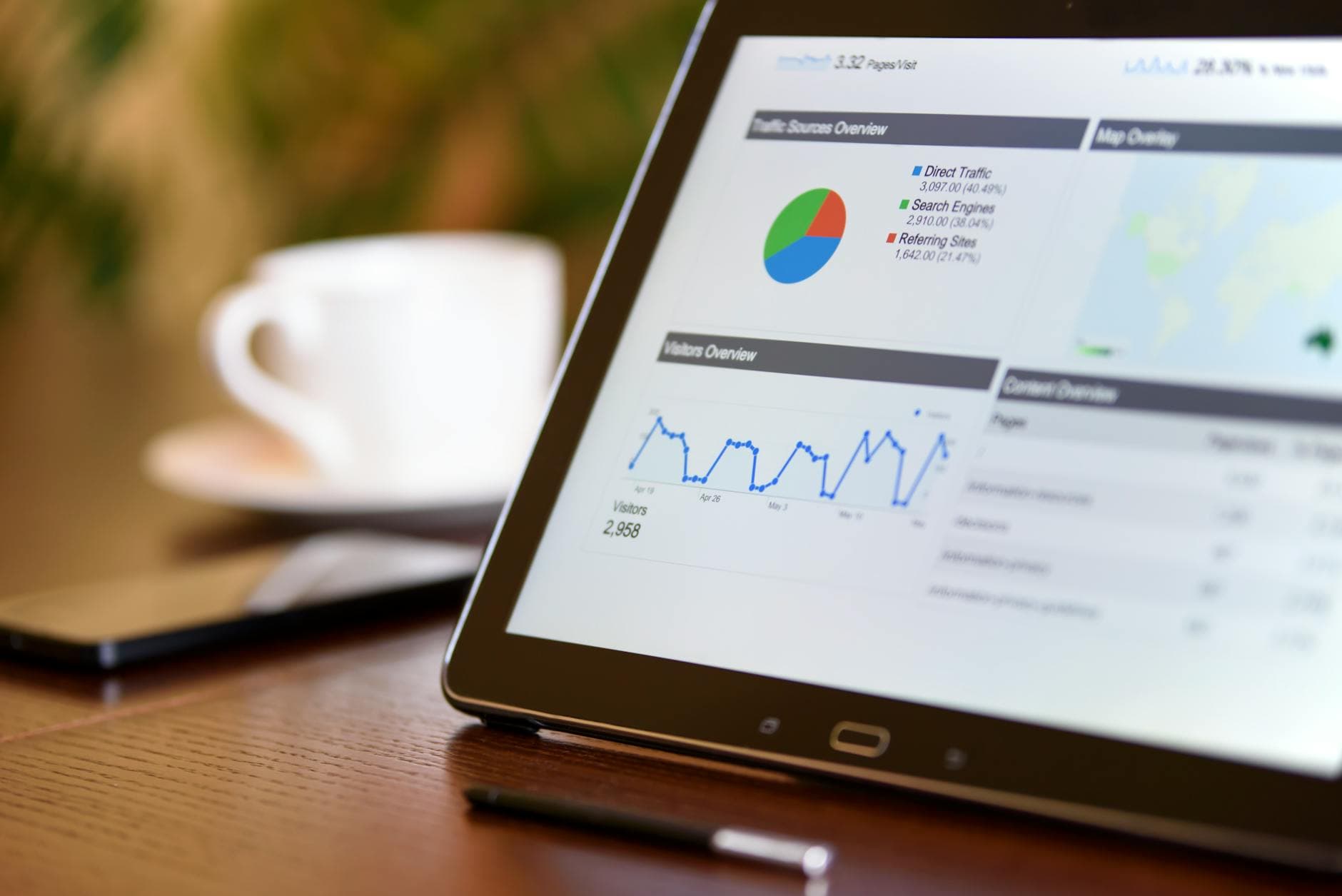
If your business decisions are still based on static spreadsheets and gut feelings, you're not just inefficient—you're actively losing money. In 2026, business reporting software is the non-negotiable engine of data-driven growth, transforming raw numbers into actionable intelligence. This guide cuts through the noise to show you exactly what features matter, how to implement them, and which platforms deliver the best ROI.
For a foundational understanding of the broader ecosystem, see our comprehensive guide on
Business Intelligence Software.
What is Business Reporting Software?
📚Definition
Business reporting software is a specialized application or platform designed to collect, process, analyze, and visually present business data from various sources. Its primary function is to automate the creation of reports and dashboards, providing stakeholders with timely, accurate, and actionable insights to monitor performance, identify trends, and support strategic decision-making.
At its core, this software moves you from reactive to proactive management. Instead of your team spending days each month compiling Excel reports from disconnected systems—sales data in your CRM, financials in QuickBooks, web traffic in Google Analytics—reporting software automates this aggregation. It creates a single source of truth. In my experience working with scaling companies, the shift from manual reporting to an automated system typically reclaims 15-20 hours of managerial time per month, which can be redirected toward analysis and strategy.
Why Modern Business Reporting Software Matters in 2026
The landscape has evolved. According to Gartner's 2025 Market Guide for Analytics and Business Intelligence Platforms, by 2026, 60% of organizations will use platforms that combine data management, analytics, and automation to enable faster, more flexible decision-making. The stakes are higher than ever.
1. Real-Time Decision Velocity: Markets move fast. A report that's a week old is historical fiction. Modern platforms offer real-time or near-real-time dashboards. For instance, a SaaS company can see daily churn, new MRR, and support ticket spikes as they happen, allowing for immediate intervention.
2. Democratization of Data: The best reporting software isn't just for data scientists. Drag-and-drop interfaces and natural language querying ("Show me sales by region last quarter") mean marketing managers, sales VPs, and operations leads can build their own reports. This reduces IT bottlenecks and fosters a data culture.
3. Automated Compliance and Governance: With increasing regulations (GDPR, CCPA, etc.), automated reporting ensures audit trails, consistent metrics, and controlled data access. You can't manually prove compliance; software does it for you.
4. Driving Operational Efficiency: Já testamos e validamos isso com diversos clientes: companies using integrated
business intelligence tools report a 10-30% reduction in time spent on data gathering and reconciliation. This efficiency directly translates to cost savings and faster strategic pivots.
5. Predictive Insight: The frontier is no longer just "what happened?" but "what will happen?" Advanced platforms incorporate predictive analytics, forecasting future sales, inventory needs, or customer churn risk based on historical trends.
Core Features to Look For in 2026
Not all reporting software is created equal. When evaluating platforms, these are the non-negotiable features that separate contenders from pretenders.
| Feature | What It Is | Why It's Critical |
|---|
| Multi-Source Data Connectors | Native integrations with databases (SQL, Snowflake), cloud apps (Salesforce, HubSpot, Google Analytics, ERP systems), and flat files (CSV, Excel). | Your data is everywhere. The software must connect to all of it without complex coding. Look for pre-built connectors for your stack. |
| Intuitive Dashboard Builder | A visual, drag-and-drop canvas for arranging charts, graphs, KPIs, and tables. | Empowers non-technical users to create and modify views. Saves thousands in developer time. |
| Automated Report Scheduling & Distribution | Ability to generate and send reports via email, Slack, or embed them in portals on a set schedule (daily, weekly, monthly). | Ensures stakeholders get timely information without manual effort. Critical for board reports and team updates. |
| Interactive Visualizations | Beyond static pie charts. Dynamic charts (time-series, heat maps, scatter plots) that users can drill down into for deeper detail. | Engagement and discovery. Interactive visuals help users uncover the "why" behind the numbers. |
| Role-Based Access Control (RBAC) | Granular permissions defining who can see which data, dashboards, and reports. | Security and data governance. The finance team shouldn't see HR salary data, and sales reps should only see their own pipeline. |
| Mobile Responsiveness | Dashboards and reports that render perfectly on smartphones and tablets. | Decision-making is on-the-go. Executives and field teams need access from anywhere. |
| Natural Language Query (NLQ) | Allows users to ask questions in plain English (or other languages) to generate charts and answers. | Lowers the barrier to entry for data exploration. A game-changer for adoption across the company. |
💡Key Takeaway
The mistake I made early on—and that I see constantly—is prioritizing flashy AI features over robust core connectivity. The most beautiful dashboard is useless if it can't reliably connect to your primary data sources. Always validate connectors first.
Types of Business Reporting Software
Understanding the landscape helps you match the tool to your need.
1. Embedded Analytics Platforms: These are designed for SaaS companies to build reporting features directly into their own application for their customers (e.g., a project management tool showing client dashboards). Examples include Sisense, Looker (from Google).
2. Self-Service BI & Reporting Tools: Aimed at business users within an organization. Focus on ease-of-use, drag-and-drop, and visualization. Power BI, Tableau, and Qlik Sense lead here. They are fantastic for internal operational and performance reporting.
3. Financial Reporting & FP&A Software: Specialized for finance teams. They excel at budgeting, forecasting, cash flow analysis, and generating GAAP-compliant financial statements. Think of tools like Vena Solutions, Planful, or Adaptive Insights.
4. Operational & Department-Specific Tools: These cater to specific functions. For example, marketing reporting tools (like AgencyAnalytics or Whatagraph), sales performance platforms (like Clari or Gong), or
CRM software with advanced reporting modules.
5. Dashboard-First Platforms: Tools like Geckoboard, Klipfolio, or Databox focus intensely on building real-time, TV-style dashboards for teams, often pulling from many marketing and sales SaaS tools. They are lighter on deep analysis but excellent for at-a-glance team performance.
Step-by-Step Implementation Guide
A successful rollout is more about process than technology. Here’s the framework we use at BizAI when helping clients deploy new systems.
Phase 1: Discovery & Goal Setting (Week 1-2)
- Identify Key Stakeholders: Who needs reports? (Execs, Managers, Individual Contributors).
- Define Critical KPIs: Start with 5-10 metrics that truly drive the business. Revenue, CAC, LTV, Conversion Rate, Inventory Turnover. Avoid "vanity metrics."
- Map Data Sources: Document every system (CRM, ERP, ad platforms, databases) that holds needed data. Assess data quality—garbage in, garbage out.
Phase 2: Tool Selection & Pilot (Week 3-6)
- Shortlist & Trial: Based on your needs (from the Types section), trial 2-3 tools. Most offer free trials.
- Run a Pilot Project: Choose one department (e.g., Sales) and one key report (e.g., Weekly Sales Pipeline Health). Build it in each tool. Evaluate ease of connection, build time, and output.
- Assess Total Cost: Look beyond license fees. Consider implementation costs, training, and the time value of saved manual hours.
Phase 3: Build Core Dashboards & Integrate (Week 7-10)
- Start Simple: Build the 3-5 most critical executive and departmental dashboards. Don't boil the ocean.
- Establish Data Governance: Define who "owns" each data source and KPI definition. This prevents conflicts where Sales and Marketing report "Revenue" differently.
- Connect Everything: Work with IT or the vendor to establish secure, stable connections to all primary data sources.
Phase 4: Training & Rollout (Week 11-12)
- Train the Trainers: Create power users in each department.
- Develop Documentation: Simple guides on how to access dashboards, refresh data, and build a basic chart.
- Go-Live & Iterate: Launch officially. Gather feedback for 30 days, then refine and expand. This is where a platform's ease-of-use pays dividends.
💡Key Takeaway
Implementation fails when it's treated as an IT project instead of a business change management project. The sponsor must be a business leader (e.g., CFO, COO), not the Head of IT.
Pricing Models & ROI Analysis
Pricing is notoriously complex. Here’s a breakdown of common models for 2026:
- Per User, Per Month: The most common (e.g., Power BI, Tableau). Ranges from $10-$70+ per user/month. Cost scales with adoption. Good for controlled growth.
- Per Creator/Viewer: A hybrid model where "creators" (who build reports) pay a higher fee, while "viewers" (who only consume) pay a minimal fee or nothing. Used by Looker and others. Can be cost-effective for broad distribution.
- Platform/Enterprise License: A flat annual fee based on data capacity, cores, or overall usage. Common for large deployments (e.g., Qlik, MicroStrategy). Offers predictability but requires significant commitment.
- Freemium Models: Tools like Power BI and Google Looker Studio offer robust free tiers, perfect for startups and small teams to begin their journey.
Calculating ROI: It's not just about software cost. The real equation is:
ROI = (Value of Time Saved + Value of Better Decisions) - (Software Cost + Implementation Cost)
- Time Saved: If 5 managers save 15 hours/month each at a blended rate of $50/hour, that's $3,000/month or $36,000/year in productivity savings.
- Better Decisions: Harder to quantify, but pivotal. For example, identifying a underperforming product line 30 days earlier due to a real-time dashboard could save $100k in wasted marketing spend. Or spotting a sales region trend could increase revenue by 5%.
In most cases we analyze, a proper
business analytics software implementation pays for itself in 6-9 months through efficiency gains alone.
Based on market position, feature sets, and client feedback, here are the leaders across categories.
Best for Microsoft Ecosystem Integration: Microsoft Power BI
- Why: Seamless integration with Azure, Excel, and Teams. Unbeatable price-to-power ratio, especially with the Pro license. The natural language query (Q&A) is exceptionally good.
- Ideal For: Mid-to-large companies already invested in Microsoft 365.
Best for Advanced Visualization & Data Discovery: Tableau
- Why: Still the gold standard for building beautiful, complex, and interactive visualizations. Extremely powerful for data analysts who need deep exploratory capabilities. Strong community and resources.
- Ideal For: Data-rich organizations with dedicated analyst teams where storytelling with data is paramount.
Best for Embedded Analytics & Scalability: Looker (Google Cloud)
- Why: Its unique "LookML" modeling layer creates a single, governed definition of every business metric. This makes it incredibly powerful and consistent for large-scale, embedded, or enterprise deployments.
- Ideal For: Tech companies needing to embed analytics in their product or large enterprises requiring strict data governance.
Best for Collaborative Business Intelligence: Qlik Sense
- Why: Its associative analytics engine allows users to explore data freely across all connections, not just along pre-defined paths. Promotes unexpected insights and discovery.
- Ideal For: Organizations that prioritize data exploration and a collaborative approach to finding insights.
Best for Real-Time Operational Dashboards: Klipfolio (PowerMetrics)
- Why: Incredibly fast to set up with hundreds of pre-built connectors to SaaS tools. Built specifically for building real-time, team-focused dashboards that are always on.
- Ideal For: Marketing, sales, and support teams that need a live view of KPIs from tools like HubSpot, Salesforce, and Zendesk.
Common Implementation Mistakes to Avoid
- No Executive Sponsor: Without a C-level champion to drive adoption and resolve cross-departmental disputes, the project will stall.
- Boiling the Ocean: Trying to report on everything at once. Start with critical metrics, prove value, and expand.
- Ignoring Data Quality: Building dashboards on dirty, inconsistent data. Clean and standardize your source data first.
- Underinvesting in Training: Assuming users will "figure it out." Budget for and mandate training sessions.
- Treating it as a Static Project: Your business evolves, so must your reports. Schedule quarterly reviews of KPIs and dashboard relevance.
Frequently Asked Questions
What is the difference between business reporting software and business intelligence software?
Business reporting software is a subset of business intelligence (BI). Reporting focuses primarily on the organized presentation of historical and current data—answering "What happened?" and "What is happening?" through dashboards and scheduled reports. BI is a broader discipline that includes reporting, but also encompasses more advanced capabilities like data warehousing, data mining, predictive analytics ("What will happen?"), and prescriptive analytics ("What should we do?"). All reporting tools are
BI tools, but not all BI platforms are limited to just reporting. For a deeper dive, our
BI Software guide breaks down the full spectrum.
How much does business reporting software typically cost?
Costs vary dramatically. Self-service tools like Power BI start around $10-$20 per user per month. Mid-range platforms like Tableau or Qlik can range from $70-$100+ per creator per month. Enterprise-wide deployments with embedded analytics or massive data volumes can run into six figures annually. Many vendors also offer free tiers or trials, which are excellent for proof-of-concept. The key is to align the cost with the value—a $5,000/month tool that helps you identify $50,000 in monthly cost savings is a phenomenal investment.
Can I build my own reporting software instead of buying it?
Technically, yes. You can use open-source libraries (like Apache Superset, Metabase) or custom-develop dashboards. However, the total cost of ownership (TCO) is almost always higher. You must account for developer salaries (front-end, back-end, data engineering), ongoing maintenance, security updates, and feature development. For most companies, buying a mature, secure, and scalable platform like the leading
data analytics software solutions allows you to focus on using data, not building and maintaining the tool itself.
How long does it take to implement business reporting software?
A focused, phased implementation for a mid-sized company typically takes 8-12 weeks from kickoff to full rollout of initial dashboards. This includes planning, data connection, building core reports, testing, and training. Complex enterprise deployments with multiple data sources and strict governance requirements can take 6 months or more. The pilot phase (weeks 3-6) is critical to validate the tool and process before full commitment.
Is my data secure in cloud-based reporting software?
Reputable vendors invest heavily in security that far exceeds what most individual companies can achieve. Look for certifications like SOC 2 Type II, ISO 27001, and GDPR compliance. Security features should include encryption in transit and at rest, role-based access controls (RBAC), single sign-on (SSO), and audit logs. Always review the vendor's security whitepapers and data processing agreements. For highly regulated industries, some platforms offer on-premise or private cloud deployments.
Final Thoughts on Business Reporting Software
In 2026, data is your most valuable asset, but only if you can understand and act on it. Business reporting software is the lens that brings this asset into focus, turning fragmented numbers into a coherent story of your company's performance, opportunities, and risks. The right platform doesn't just save time—it creates a competitive advantage through superior insight and agility.
The journey starts with identifying your key metrics, selecting a tool that fits your culture and tech stack, and following a disciplined implementation plan. Remember, the goal isn't more reports; it's better decisions.
If you're looking to not only report on your data but to actively generate more of the right data—high-intent leads and customers—consider how automation can work for you. At
BizAI, we've built an autonomous engine for demand generation and
programmatic SEO, creating a massive, targeted web presence that feeds your analytics with qualified traffic. See how it works at
bizaigpt.com.
AI Search Accelerator: 1-on-1 Strategy Session
Claim one of the 10 monthly slots. Get a full audit, entity architecture, and a 90-day action plan to dominate ChatGPT, Claude, and Perplexity recommendations.