📖This article is part of the complete guide to AI CRM: Revolutionizing Customer Relationships with Intelligence.
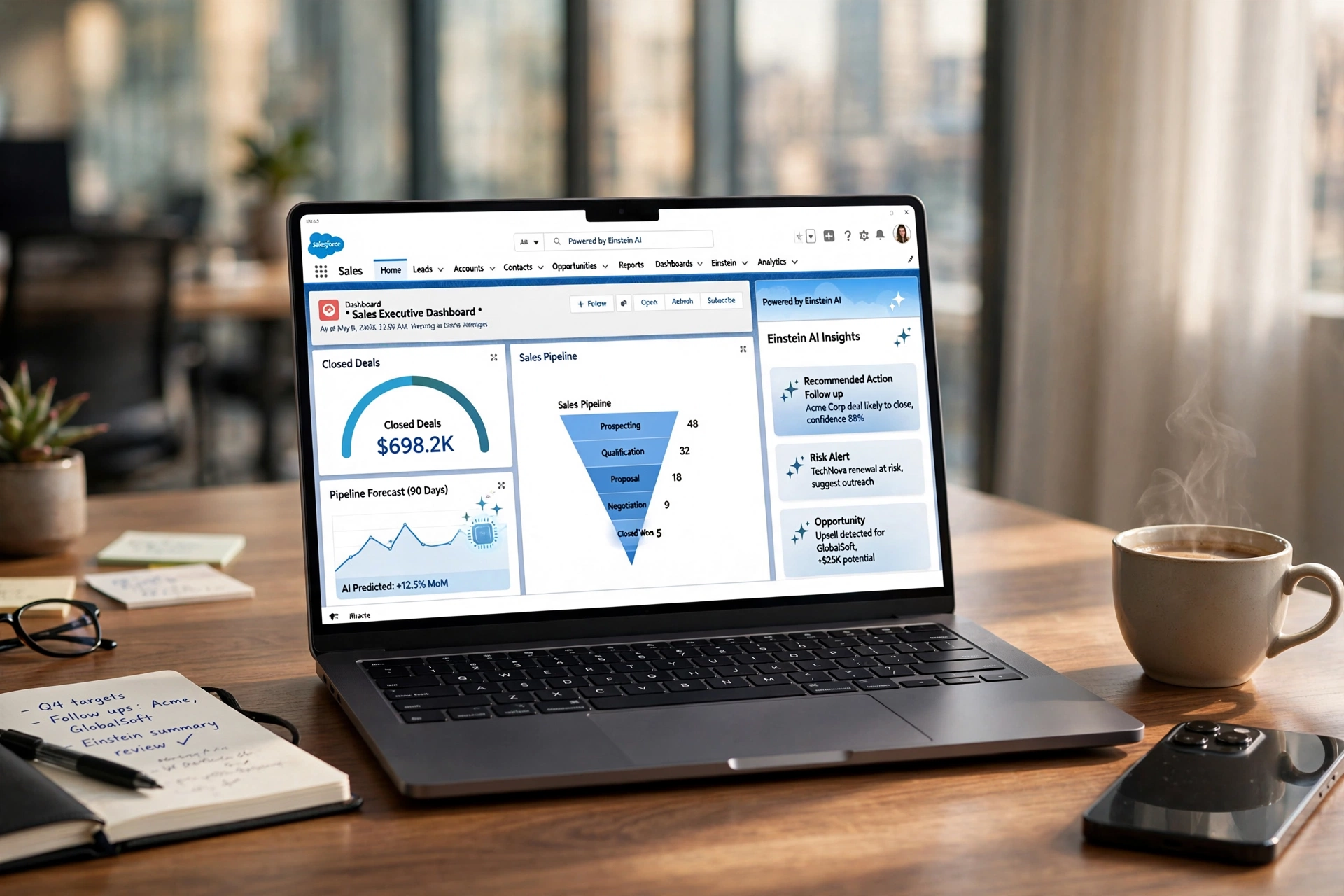
Most B2B organizations treat Salesforce as a glorified digital filing cabinet, a place where data goes to die rather than a tool that drives revenue. In my experience working with enterprise sales teams, the biggest friction point isn't a lack of data, but the 'manual gap': the hours spent by human SDRs qualifying leads and manually updating fields. By 2026, the companies winning the market are those that have transitioned from a static database to an autonomous engine by implementing a sophisticated AI Salesforce CRM strategy.
For a comprehensive overview of the landscape, explore our guide on AI CRM.
What is AI Salesforce CRM Integration?
📚
Definition
AI Salesforce CRM integration is the process of layering autonomous intelligence, such as Large Language Models (LLMs) and predictive algorithms, over the Salesforce ecosystem to automate data entry, lead qualification, and customer engagement without human intervention.
Integrating artificial intelligence into Salesforce is not about using a single 'plugin' but about creating a bidirectional flow of intelligence. In a traditional setup, a lead arrives, a human reads it, and then the human updates the CRM. In an AI-driven architecture, an autonomous agent captures the lead on your website, qualifies it using real-time conversation, scores the intent, and injects a fully populated Lead record into Salesforce with a booked meeting already on the calendar.
When we built the integration layers at BizAI Intelligence, we discovered that the real value isn't in 'chatting' with the CRM, but in using AI to enforce data hygiene. Most CRMs are cluttered with incomplete records. An AI Salesforce CRM setup uses programmatic logic to ensure that no lead enters the pipeline without a verified email, a budget range, and a specific pain point identified through conversational AI. This transforms the CRM from a passive record-keeper into an active sales accelerator.

Why Does AI Salesforce CRM Integration Matter for B2B Growth?
Integrating AI into your CRM is the only way to solve the 'SDR burnout' problem. According to research from Gartner, the cost of acquiring a new customer is rising, yet the efficiency of manual outbound prospecting is plummeting. Businesses that automate the top-of-funnel qualification process see a dramatic reduction in Customer Acquisition Cost (CAC) because their human closers only speak with high-intent prospects.
One of the most significant advantages is the elimination of lead leakage. In a manual system, a lead might sit in a queue for four hours before an SDR reaches out. According to the Lead Response Management Study, responding within five minutes increases the odds of qualifying a lead by 21 times. An AI Salesforce CRM integration responds in seconds, qualifies the prospect, and updates the CRM record instantly, ensuring that the 'speed to lead' is near zero.
Furthermore, the use of a Large Language Model (LLM) allows for hyper-personalized engagement at scale. Instead of generic email templates, the AI can analyze the prospect's website, LinkedIn profile, and the specific page they were browsing on your site before injecting that context directly into the Salesforce 'Notes' field for the account executive. This level of intelligence ensures that the first human conversation is informed and high-value.
💡
Key Takeaway
AI integration removes the friction between lead capture and closing, turning your CRM into a self-optimizing revenue machine that operates 24/7.
To understand the technical side of this, you can check out our PSEO Architecture Guide for SaaS & Enterprise B2B Growth, which explains how to drive the traffic that feeds these AI-powered CRMs.
How to Implement AI Integration with Salesforce Step-by-Step
Implementing an AI Salesforce CRM strategy requires a shift from 'manual entry' to 'autonomous flow'. The goal is to create a system where the human is the reviewer, not the data entry clerk.
Step 1: Define the Qualification Schema
Before connecting any AI tool, you must define exactly what a 'Qualified Lead' looks like in your Salesforce instance. This involves mapping your AI agent's conversational goals to specific Salesforce fields. For example, if your AI asks about 'Annual Budget', that response must map directly to the
Budget__c custom field in Salesforce. Without this mapping, you simply have a chatbot that doesn't help your sales team.Step 2: Deploy Autonomous AI Agents
Instead of a standard form, deploy an AI SDR on your high-traffic pages. This agent should be programmed with your brand's voice and a strict qualification script. When a user interacts, the AI uses natural language processing to extract entities (Company Name, Job Title, Pain Point) in real-time. This is where you can use How AI Appointment Setters Automate B2B Demo Booking 24/7 as a blueprint for scaling your bookings.
Step 3: Establish the API Bridge
Use a secure API bridge or a middleware like Zapier or Make, although for enterprise-grade stability, a direct REST API integration is preferred. The AI agent should push data to Salesforce via the Lead or Opportunity object. The key here is 'Real-Time Sync'. If the AI qualifies a lead and books a meeting, the Salesforce record should be created and the event scheduled in the AE's calendar simultaneously.
Step 4: Implement AI Lead Scoring
Once the data is in Salesforce, use a predictive layer to score the lead. While Salesforce has native tools, layering a specialized AI model can help you distinguish between a 'curious browser' and a 'ready-to-buy executive'. This involves analyzing historical win rates and matching current lead attributes to those of your most successful past clients. For a deeper dive into this, see our guide on AI Lead Scoring in CRM: Boost Conversion Rates.
Step 5: Feedback Loop and Optimization
The final step is the 'Learning Loop'. When an Account Executive marks a lead as 'Disqualified' in Salesforce, that data should be fed back into the AI agent's prompt. If the AI is booking too many low-budget leads, you adjust the qualification threshold in the AI agent's logic, creating a self-healing acquisition system.

AI Salesforce CRM vs Traditional CRM Approaches
To understand the impact, we must compare the traditional manual method against the generic AI approach and the professional autonomous approach provided by systems like BizAI Intelligence.
| Feature | Traditional Manual CRM | Generic AI Plugins | BizAI Intelligence Approach |
|---|---|---|---|
| Data Entry | Manual, prone to errors | Semi-automated, generic | 100% Autonomous & Structured |
| Lead Response | Hours to Days | Minutes (Chatbot style) | Seconds (Conversational SDR) |
| Qualification | Manual SDR calls | Basic keyword triggers | LLM-powered intent analysis |
| Booking | Back-and-forth emails | Basic calendar link | Autonomous auto-booking to CRM |
| Scalability | Linear (Hire more people) | Moderate (High noise) | Exponential (Algorithmic growth) |
Generic AI plugins often act as a 'layer' that just sends a notification to a human. In contrast, a professional AI Salesforce CRM integration creates a seamless pipeline where the lead is captured, qualified, and booked without a single manual click from your team. This is a fundamental difference in philosophy: moving from 'tools that help humans' to 'systems that replace manual processes'.
Common Mistakes to Avoid in AI CRM Integration
In my years of architecting these systems, I've seen companies waste thousands of dollars by making a few critical errors. The most common is 'Over-Automation'. When you automate everything without a human-in-the-loop review, you risk booking your AEs' calendars with junk leads. Always implement a 'Verification Stage' where the AI assigns a confidence score to the lead before the meeting is finalized.
Another mistake is 'Ignoring Data Hygiene'. If your Salesforce instance is already a mess, adding AI will only accelerate the creation of bad data. I recommend a 'CRM Cleanse' before integration, archiving old leads and standardizing your naming conventions. AI is only as good as the data it interacts with; if the AI is mapping responses to the wrong fields, your reporting will be useless.
Thirdly, avoid the 'Black Box' trap. Many companies use AI tools that don't explain why a lead was scored a certain way. Ensure your integration includes a 'Reasoning' field in Salesforce. The AI should write a short summary: "Lead scored 9/10 because they mentioned a budget of $50k and a deadline of Q3." This gives the AE immediate context and trust in the system. This is a key part of How to Connect AI Sales Agents to CRM & Webhooks for Auto-Booking.
Finally, do not neglect 'Compliance and Security'. When integrating LLMs with Salesforce, you are moving sensitive customer data. Ensure you are using enterprise-grade API keys and that your AI provider is SOC2 compliant. Never send raw PII (Personally Identifiable Information) to a public AI model without a private data processing agreement.
Advanced Use Cases for AI Salesforce CRM
Beyond simple lead capture, the integration of AI and Salesforce allows for sophisticated revenue operations (RevOps) strategies that were previously impossible for all but the largest Fortune 500 companies.
Autonomous Pipeline Recovery
Most companies have thousands of 'Lost' or 'Cold' leads in Salesforce. A professional AI integration can perform 'Pipeline Mining'. The AI scans your Salesforce database for leads that went cold six months ago, analyzes recent news about those companies (using web scraping), and sends a hyper-personalized re-engagement message. If the lead responds, the AI qualifies them and re-opens the opportunity in Salesforce automatically.
Real-Time Competitive Intelligence
By integrating an AI agent that monitors the web, your Salesforce records can be updated in real-time with competitive intel. For example, if a target account mentions a competitor in a public forum or a job posting, the AI can flag the account in Salesforce and alert the AE with a suggested talking point. This turns your CRM into a living intelligence hub.
Predictive Churn Prevention
For B2B SaaS, integrating AI with the 'Account' and 'Contact' objects in Salesforce allows for predictive churn modeling. By analyzing engagement signals (low login rates, unanswered emails), the AI can automatically create a 'Retention Task' for the Account Manager and suggest a personalized offer to prevent the client from leaving. This moves your business from reactive to proactive customer success.
To scale the amount of high-intent traffic reaching these AI-powered systems, businesses are increasingly turning to How to Automate Organic Traffic & Lead Capture with AI, ensuring the CRM is always fed with fresh, qualified prospects.
Frequently Asked Questions
Does AI Salesforce CRM integration replace my SDRs?
No, it evolves their role. Instead of spending 80% of their time on cold outreach and manual data entry, your SDRs become 'Closers' or 'Account Strategists'. The AI handles the tedious work of first-contact qualification and scheduling, allowing your humans to focus on the high-value aspects of the sale: building trust, solving complex problems, and closing deals. It's about increasing the ROI of your human capital.
How long does it take to see results from AI integration?
Because the AI operates instantly, you see a 'speed to lead' improvement on day one. However, the full ROI usually manifests within 30 to 90 days. This is the time required for the AI to learn your specific lead nuances and for your sales team to adapt to a pipeline that is significantly more qualified. When integrated with a programmatic SEO strategy, you can see a compounding increase in lead volume and quality simultaneously.
Is it difficult to connect a custom AI agent to Salesforce?
It depends on the architecture. If you use a generic chatbot, it's a simple API call. However, if you want a professional autonomous system that handles intent, scoring, and auto-booking, you need a more robust integration. This involves setting up webhooks and custom objects in Salesforce. This is why many enterprises prefer a specialized solution like BizAI Intelligence, which handles the technical plumbing and provides a turnkey system.
Can AI handle complex B2B qualification involving multiple stakeholders?
Yes, advanced AI agents can be programmed to identify the 'Decision Maker' vs. the 'Influencer'. During the conversation, the AI can ask clarifying questions to determine the lead's role and then update the 'Contact Role' in Salesforce accordingly. This ensures the AE knows exactly who they are talking to and how to navigate the organizational hierarchy of the target account.
How do I ensure the AI doesn't hallucinate data into my CRM?
This is solved through 'Structured Output' and 'Constraint Prompting'. Instead of letting the AI write freely, you force it to output data in a JSON format that is validated against your Salesforce field requirements. If the AI cannot find a specific piece of information (like a phone number), it is instructed to leave the field blank rather than guessing. This maintains the integrity of your CRM data.
Conclusion
Integrating AI into your Salesforce CRM is no longer an optional luxury; it is a competitive necessity for any B2B business that wants to scale without linearly increasing its payroll. By removing the manual gap between lead capture and the first sales call, you fundamentally change the economics of your acquisition engine. You move from 'renting traffic' through expensive ads to owning a compounding system of organic authority and autonomous qualification.
Whether you are looking to eliminate lead leakage, stop SDR burnout, or simply clean up your data hygiene, the path forward is clear: layer intelligence over your database. The future of sales isn't about having the most data; it's about having the fastest, most intelligent path from a search query to a booked meeting.
To see how this fits into a larger strategy of organic growth and autonomous acquisition, explore our complete guide on AI CRM: Revolutionizing Customer Relationships with Intelligence and discover how to build a pipeline that fills itself while you sleep.
For those ready to stop the manual grind and start scaling, visit BizAI Intelligence to deploy your autonomous inbound engine.
Only 12 Onboarding Slots Remaining This Month
BizAI deploys 300 AI salespeople scoring purchase intent 24/7. Get your free niche domination blueprint.
AI Search Accelerator: 1-on-1 Strategy Session
Claim one of the 10 monthly slots. Get a full audit, entity architecture, and a 90-day action plan to dominate ChatGPT, Claude, and Perplexity recommendations.