📖This article is part of the complete guide to Complete Guide to Sales Pipeline Automation.
Waiting ten minutes to respond to a high-intent ecommerce lead in 2026 is the same as ignoring them entirely. In my experience working with high-ticket B2B and luxury ecommerce brands, the 'speed-to-lead' gap is where most revenue dies. When a prospect interacts with a high-value product page or triggers a specific intent signal, their dopamine levels and purchase intent are at a peak; if you don't strike while the iron is hot, they will simply move to a competitor who does. For a comprehensive overview of how this fits into your broader strategy, explore our Complete Guide to Sales Pipeline Automation.
What are Real-Time Ecommerce Lead Alerts?
📚
Definition
Real-time ecommerce lead alerts are instant notifications triggered by specific high-intent user behaviors on a digital storefront, delivered immediately to sales teams via Slack, Email, CRM, or SMS to enable instantaneous outreach.
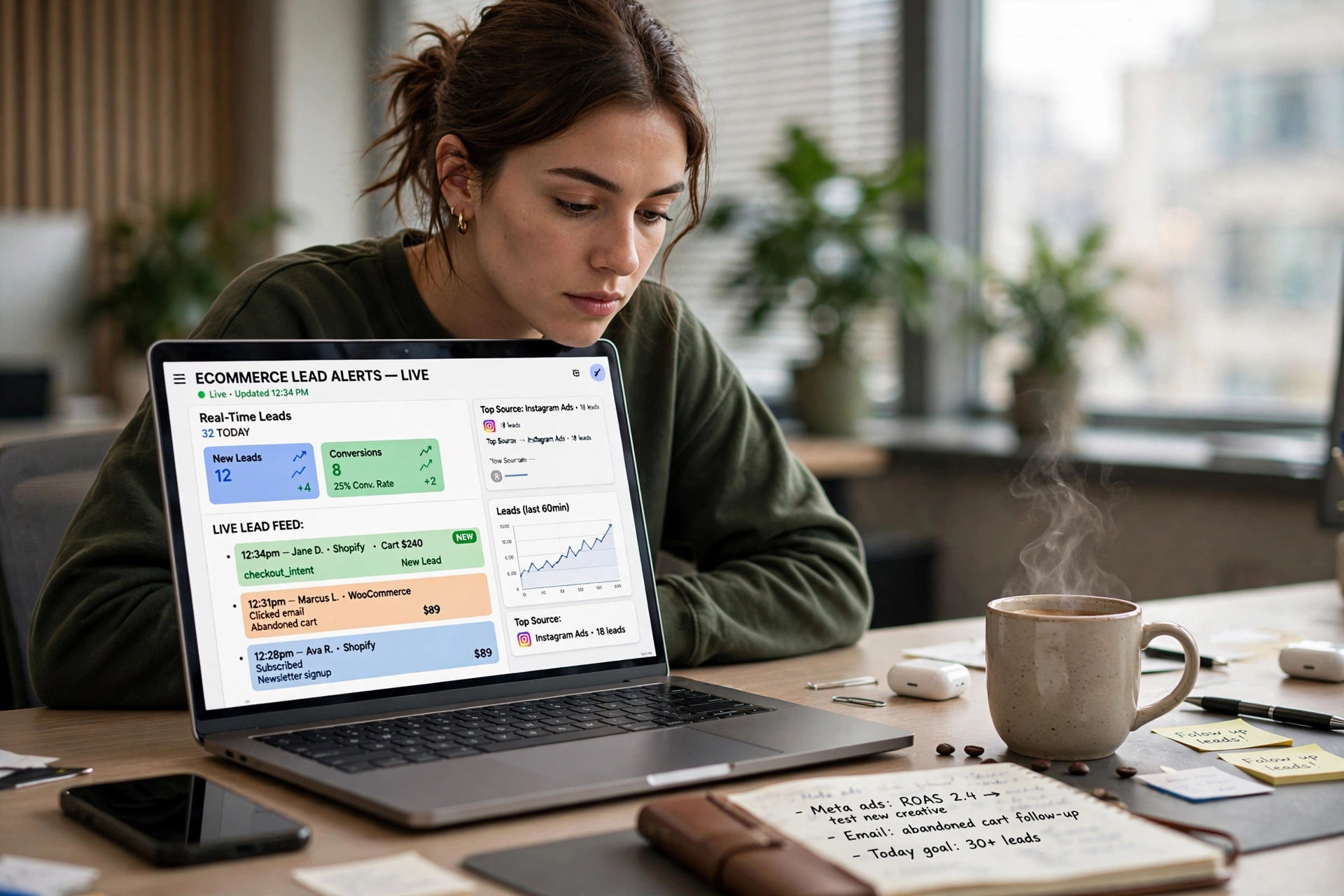
Real-time ecommerce lead alerts are not mere 'notification pings.' They are a sophisticated layer of the sales stack that bridges the gap between anonymous web traffic and a personalized sales conversation. Unlike traditional lead forms where a user submits data and waits for a callback, these alerts are often triggered by behavioral signals—such as spending five minutes on a pricing page, repeatedly visiting a high-ticket SKU, or interacting with an AI agent.
When we built the notification architecture at BizAI Intelligence, we discovered that the most successful brands don't just alert on 'form fills.' They alert on 'intent clusters.' For example, a user who visits the 'Enterprise Pricing' page three times in ten minutes and then spends two minutes on the 'Implementation' page is a 'hot lead' regardless of whether they have filled out a form. The alert system captures this behavioral data and pushes it to a human representative or an autonomous AI SDR immediately.
This mechanism relies on a combination of webhooks, event tracking, and API integrations. In a modern 2026 stack, this usually involves a Large Language Model (LLM) analyzing the user's session in real-time to categorize the lead's urgency before the alert is even sent. This ensures that sales teams aren't fatigued by low-quality notifications but are instead alerted only when a high-probability conversion event occurs. By integrating these alerts with lead scoring automation, businesses can prioritize which alerts require a phone call versus a simple automated follow-up.
Why Do Real-Time Alerts Matter for Your Revenue Growth?
Speed is the single most important variable in the conversion equation for high-ticket ecommerce. According to research from the Lead Response Management Study, the odds of qualifying a lead drop by 10x if the response time moves from five minutes to ten minutes. In the context of ecommerce, where the frictionless nature of the 'Buy Now' button has conditioned users to expect immediacy, a delay in human intervention for a complex sale is a fatal error.
Firstly, real-time alerts capitalize on the 'Peak-End Rule' of user experience. When a customer is actively engaging with your product, their interest is at its zenith. An immediate alert allows a sales representative to step in exactly when the customer is experiencing the most friction or curiosity. This transforms a static shopping experience into a consultative sales process. If a lead is struggling with a technical specification on a $5,000 piece of equipment, an alert that prompts a rep to send a personalized Loom video or a direct chat message can increase the close rate by over 30%.
Secondly, these alerts prevent 'lead leakage.' In traditional ecommerce, leads often fall through the cracks of a generic email sequence. By the time a manual review of the CRM happens on Monday morning, a lead who was 'hot' on Friday afternoon has already forgotten the brand or purchased from a competitor. Real-time alerts ensure that no high-intent signal goes unaddressed. This is particularly vital when using How to Automate Sales Pipeline Step-by-Step methodologies, where the goal is to remove human latency from the acquisition loop.
Thirdly, it empowers your team with contextual intelligence. A real-time alert shouldn't just say 'New Lead.' It should say: 'John Doe from NYC is currently on the Pricing Page for the third time today; he just asked the AI agent about API integrations.' This level of detail allows the salesperson to open the conversation with a specific solution rather than a generic 'How can I help you?' approach. This transition from generic selling to precision selling is what separates market leaders from the rest of the pack.
💡
Key Takeaway
Reducing response time from hours to seconds doesn't just improve customer satisfaction; it fundamentally alters the conversion probability of high-ticket leads.
How to Implement Real-Time Ecommerce Lead Alerts Step-by-Step
Implementing a high-performance alert system requires a shift from 'passive data collection' to 'active event monitoring.' You cannot rely on standard Shopify or WooCommerce notifications; you need an event-driven architecture.
Step 1: Define Your 'Hot' Trigger Events
Not all actions are equal. You must differentiate between a 'browser' and a 'buyer.' Common high-intent triggers include:
- Visiting the checkout page but abandoning it after spending 3+ minutes there.
- Repeatedly visiting a high-value product page within a 24-hour window.
- Engaging with an AI Sales Agent for more than five exchanges.
- Downloading a technical whitepaper or pricing guide.
- Using a 'Compare' tool to evaluate two high-ticket options.
Step 2: Establish the Data Pipeline
Use a tool like Segment or a custom GTM (Google Tag Manager) setup to capture these events. These events must be pushed to a middleware layer (like Zapier, Make, or a custom webhook) that can process the data in milliseconds. For those scaling rapidly, utilizing PSEO Architecture Guide for SaaS & Enterprise B2B Growth principles helps in creating specific landing pages that are instrumented for these high-intent triggers.
Step 3: Configure the Notification Routing
Route the alert to the most effective channel. For an immediate 'strike,' Slack or Microsoft Teams is superior to email. A dedicated '#hot-leads' channel allows the entire sales team to see the alert, and the first person to 'claim' the lead can do so instantly.
Step 4: Integrate with an AI SDR for Instant Qualification
This is where BizAI Intelligence changes the game. Instead of waiting for a human to see the Slack message, an AI Sales Agent can be triggered to initiate a conversation immediately. The AI can say: 'I noticed you're looking at our Enterprise plan—would you like me to book a quick 15-minute demo with our specialist right now?' This eliminates the human response gap entirely while the human rep is being notified in the background.
Step 5: Close the Feedback Loop in the CRM
Ensure the alert and the subsequent action are logged in HubSpot or Salesforce. Use HubSpot Sales Pipeline Automation Setup to move the lead from 'New' to 'In Progress' the moment the alert is acknowledged. This prevents duplicate outreach and provides clear data on the ROI of your alert system.
Comparison: Lead Notification Methods
| Feature | Traditional Email Alerts | Generic AI Chatbots | BizAI Intelligence Approach |
|---|---|---|---|
| Response Time | Minutes to Hours | Seconds (Static) | Milliseconds (Contextual) |
| Contextual Depth | Only Form Data | Basic Keyword Match | Full Behavioral Session Analysis |
| Urgency Handling | Low (Sits in Inbox) | Medium (Generic Flow) | High (Immediate AI SDR Action) |
| SDR Effort | High Manual Sifting | Medium (Low-quality leads) | Low (Only High-Intent Alerts) |
| Conversion Rate | Baseline | +10-15% | +40% via Instant Engagement |
Common Mistakes When Setting Up Real-Time Alerts
In my experience, the most common failure point isn't the technology—it's the strategy. Many companies fall into the 'Notification Fatigue' trap. If you alert your sales team every time someone visits a page, they will eventually mute the channel.
Mistake 1: Too Many Triggers.
If every click generates a notification, the 'signal-to-noise' ratio collapses. You must only alert on 'Intent Clusters'—actions that, when combined, indicate a high probability of purchase. For instance, a page visit alone is noise; a page visit + a pricing page visit + a 3-minute session duration is a signal.
**Mistake 2: Lack of Immediate Actionability.**n
An alert is useless if the salesperson doesn't know what to do next. 'New Lead: Sarah Jenkins' is a poor alert. 'Hot Lead: Sarah Jenkins is looking at the Platinum Package and is in the NYC area' is an actionable alert. Every notification should include the lead's current context and a suggested next step.
**Mistake 3: Ignoring the 'Shadow' Lead.**n
Many brands only alert on people who fill out forms. However, in 2026, the majority of B2B buyers prefer to research anonymously before contacting a vendor. By only alerting on forms, you miss 90% of your potential pipeline. You need behavioral alerts that trigger based on the likelihood of intent, even if the user hasn't explicitly identified themselves yet (using cookie-based tracking or AI-driven intent signals).
**Mistake 4: Relying on Slow CRM Syncs.**n
Some companies send the alert to the CRM and then wait for the CRM to notify the user. This adds 30-120 seconds of latency. In high-ticket ecommerce, that is an eternity. Push the alert to a communication tool (Slack/Teams) first, and sync to the CRM simultaneously in the background.
**Mistake 5: Failing to Optimize for AI Search (GEO).**n
If your product pages aren't optimized for Generative Engine Optimization, users will find you through AI search but won't engage with your site's high-intent triggers. By using GEO Vs Traditional SEO: Rank Your Brand in AI Engines in 2026, you ensure that the users arriving at your site are already pre-qualified by an AI, making your real-time alerts even more potent.
Frequently Asked Questions
How do real-time alerts differ from standard lead notifications?
Standard notifications are usually reactive, triggering only after a user completes a form. Real-time ecommerce lead alerts are proactive; they trigger based on behavioral signals—like time spent on a page or specific navigation patterns—before the user even decides to contact you. This allows sales teams to engage a lead while they are still active on the website, rather than trying to 're-awaken' a lead hours later via email.
Will real-time alerts annoy my customers if I reach out too fast?
There is a delicate balance between 'responsive' and 'creepy.' The key is the medium and the message. A sudden phone call can be intrusive, but a timely, helpful message via a site chat or a personalized email sent within 2 minutes of a high-intent action is generally perceived as high-level service. By using an AI SDR to initiate the contact, you provide the customer a low-friction way to opt-in to the conversation, avoiding the 'creepy' factor associated with manual outreach.
Which tools are best for integrating these alerts into my stack?
For most ecommerce businesses, a combination of a behavioral tracking tool (like PostHog or Mixpanel), a middleware automation layer (Make.com or Zapier), and a communication hub (Slack) is the gold standard. However, for enterprise-level B2B growth, the The Comprehensive AI SDRs & Autonomous Sales Appointment Setters framework provided by BizAI Intelligence is superior because it combines the trigger, the qualification, and the appointment booking into one seamless, autonomous loop.
Can real-time alerts work for anonymous visitors?
Yes, although limited. While you cannot get a name and email for a completely anonymous visitor, you can trigger an internal alert to your team that 'An anonymous visitor from a Fortune 500 company (identified via IP lookup) is currently on the pricing page.' This allows your team to prioritize their attention or trigger a more aggressive AI-led engagement strategy to capture the visitor's identity while they are still on the site.
How do I measure the ROI of a real-time alert system?
Measure the 'Lead-to-Opportunity' conversion rate before and after implementation. Specifically, track the 'Response Time' metric and correlate it with the 'Close Rate.' You will typically find that leads responded to within 5 minutes have a significantly higher conversion rate than those responded to in 30+ minutes. Additionally, track the reduction in 'Cost Per Acquisition' (CPA) as your sales team spends less time chasing cold leads and more time closing hot ones.
Recommended Readings
To deepen your understanding of these topics, we recommend reading the following articles:
- Sales Pipeline Automation in Albuquerque
- Sales Pipeline Automation in Atlanta
- Sales Pipeline Automation in Baltimore
- Sales Pipeline Automation in Boston
Conclusion
In the 2026 ecommerce landscape, the window of opportunity to capture a high-ticket lead is smaller than ever. Real-time ecommerce lead alerts are no longer a luxury; they are a technical necessity for any business that refuses to leave its revenue to chance. By shifting from reactive form-filling to proactive behavioral monitoring, you can effectively eliminate the 'lead decay' that plagues most B2B and luxury storefronts.
When you combine these alerts with an autonomous AI agent, you create a perpetual motion machine: organic traffic is attracted via programmatic SEO, high-intent behavior is captured by real-time alerts, and the AI SDR qualifies and books the meeting before the prospect even leaves your tab. This is the only way to scale in an era of AI-driven search and extreme buyer impatience.
To see how this integrates into a full-scale growth engine, return to our Complete Guide to Sales Pipeline Automation and start building your own automated acquisition system. If you're ready to stop renting traffic and start owning your pipeline, visit BizAI Intelligence to deploy a system that works while you sleep.
AI Search Accelerator: 1-on-1 Strategy Session
Claim one of the 10 monthly slots. Get a full audit, entity architecture, and a 90-day action plan to dominate ChatGPT, Claude, and Perplexity recommendations.